EL-GATO Elgato 1VC108601001 Analog USB computer TV tuner

EL-GATO Elgato 1VC108601001 Analog USB computer TV tuner

Buy from BricoBravo

122,78 €

Go to deal

Overview

Highlights
- Digitize video from a VCR camcorder or other analogue video source for your Mac PC and iPad
- Easy-to-use software guides you through every step
- Captures video in the universal H.264 digital format ready for iPad iMovie Windows Live Movie Maker and YouTube
- World-ready; handles NTSC SECAM PAL and PAL/60 video
- Includes Elgato Video Capture software for Mac and PC

Digitize video from a VCR camcorder and other analogue video sources for playback on your Mac PC and iPad

Transfer video to your Mac or PC from a VCR DVR camcorder or any other analogue video device as a high quality H.264 file. Elgato Video Captures easy-to-use software assists you through every step from connecting an analogue video device to capturing video and choosing how you will watch and share it.

There is no easier way to digitise home video to playback on your computer to sync with an iPad or iPhone to edit in iMovie or Windows Live Movie Maker or to upload to YouTube.

Elgato Video Capture comes with Elgato Video Capture software for Mac and Windows.

Put Family Memories on your computer

The era of VHS tapes is winding down and after three decades there is a lot of video content to transfer for modern playback devices. Whats more any video stored on magnetic tape (such as VHS Video8 and Hi8) has a limited life span and deteriorates over time. Elgato Video Capture provides an easy way to bring those precious memories into iTunes or your Windows Media Player library.

Every step is made simple

Elgato Video Capture is very easy to use. The software assistant guides you through every step from connecting an analogue video device to capturing video and choosing how you will watch and share it. The software offers a simple tool to trim the beginning and end of the captured video. With just one click you can add your video to iTunes or to your Windows Media Player library; you can play back the video on your computer or sync it with your iPad or iPhone; you can upload your video directly to YouTube; and you can edit it right away in iMovie or Windows Live Movie Maker.

Video to your computer from a DVR DVD Player or Set-Top Box

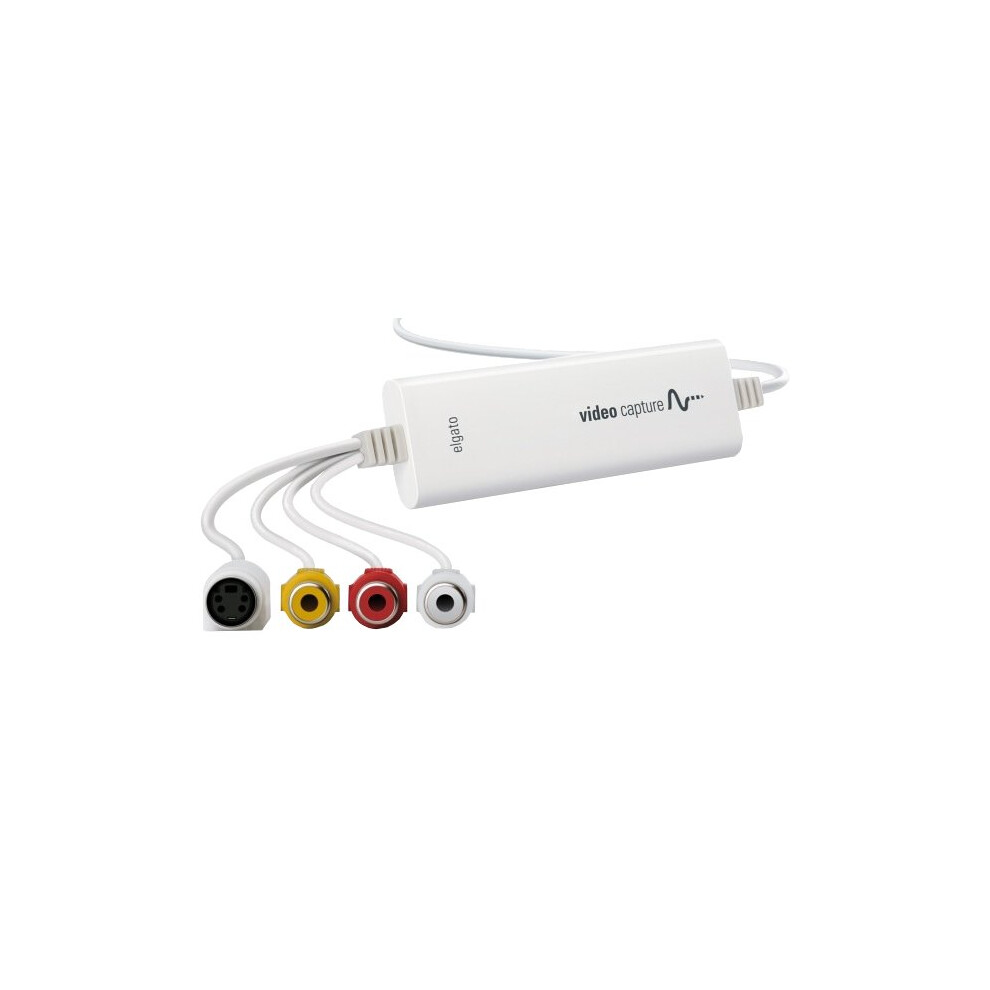
Perhaps youve been given a DVD from a family event or reunion and you want to share it by posting it on your website or on YouTube. Or youve saved some great movies and TV shows on your DVR and want to play them back on your iPad. Elgato Video Capture can connect and capture video to your Mac or PC from any device that has composite RCA or S-Video outputs. It also comes with a SCART adapter.
Overview

Highlights
- Digitize video from a VCR camcorder or other analogue video source for your Mac PC and iPad
- Easy-to-use software guides you through every step
- Captures video in the universal H.264 digital format ready for iPad iMovie Windows Live Movie Maker and YouTube
- World-ready; handles NTSC SECAM PAL and PAL/60 video
- Includes Elgato Video Capture software for Mac and PC

Digitize video from a VCR camcorder and other analogue video sources for playback on your Mac PC and iPad

Transfer video to your Mac or PC from a VCR DVR camcorder or any other analogue video device as a high quality H.264 file. Elgato Video Captures easy-to-use software assists you through every step from connecting an analogue video device to capturing video and choosing how you will watch and share it.

There is no easier way to digitise home video to playback on your computer to sync with an iPad or iPhone to edit in iMovie or Windows Live Movie Maker or to upload to YouTube.

Elgato Video Capture comes with Elgato Video Capture software for Mac and Windows.

Put Family Memories on your computer

The era of VHS tapes is winding down and after three decades there is a lot of video content to transfer for modern playback devices. Whats more any video stored on magnetic tape (such as VHS Video8 and Hi8) has a limited life span and deteriorates over time. Elgato Video Capture provides an easy way to bring those precious memories into iTunes or your Windows Media Player library.

Every step is made simple

Elgato Video Capture is very easy to use. The software assistant guides you through every step from connecting an analogue video device to capturing video and choosing how you will watch and share it. The software offers a simple tool to trim the beginning and end of the captured video. With just one click you can add your video to iTunes or to your Windows Media Player library; you can play back the video on your computer or sync it with your iPad or iPhone; you can upload your video directly to YouTube; and you can edit it right away in iMovie or Windows Live Movie Maker.

Video to your computer from a DVR DVD Player or Set-Top Box

Perhaps youve been given a DVD from a family event or reunion and you want to share it by posting it on your website or on YouTube. Or youve saved some great movies and TV shows on your DVR and want to play them back on your iPad. Elgato Video Capture can connect and capture video to your Mac or PC from any device that has composite RCA or S-Video outputs. It also comes with a SCART adapter.